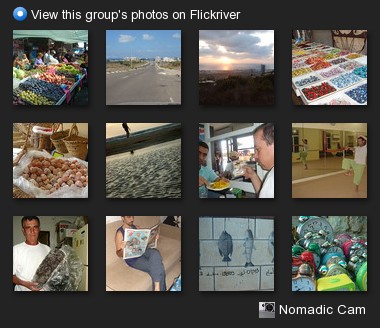
Cool Flickriver video tutorial
February 26th, 2009Just found this cool Flickriver video tutorial:
Thanks, gfurry!
Just found this cool Flickriver video tutorial:
Thanks, gfurry!
I’m slowly but gradually moving my life to digital. I went from film to digital photography a few years ago and never looked back. Now’s the time to do the same with my music – I’m now in the process of ripping my entire music library and making it playable through out the house.
Having to go over hundreds of CDs each time I want to listen to a specific album can really take its toll on your music listening experience, so making all your music available at your fingertips anywhere in the house is great. Beyond that, the sound quality playing well-ripped lossless sound files with good equipment should be better than with any CD player. Basically, playing music with a CD player often introduces various artifacts (such as jitter etc.) – due to mechanical moving parts and lack of good error correction. On the other hand, because while ripping the CD the software can “double-check” that it’s getting a good copy, and re-read the original CD several times if needed, the end result is often better quality music playback.

My CD ripping setup:
So, my ripping flow is as follows:
Sounds simple and easy, right? Not always. There are several problems you might encounter, some of them are:
I will post my solutions to these problems in the following posts.
For now, I’m off to listen to some music
If you’re not familiar with ColorZilla, it’s a Firefox extension I wrote a while back to help me with my web design and development tasks. Over the years, it became quite popular with web developers and designers.
Anyway, over the course of this past year I added a few new features to ColorZilla (mainly because I needed them for my own work
), but because 2007 has been a very busy year for me, I just couldn’t find the time to properly test and release the new stuff to the public. Now, with Firefox 3 just around the corner, I finally took a bit of time to put everything together and release ColorZilla v2.
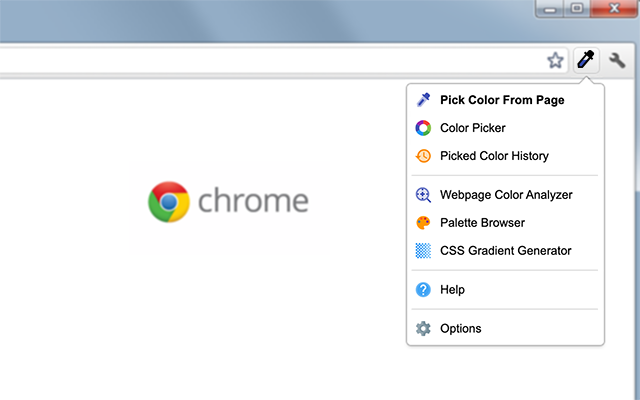
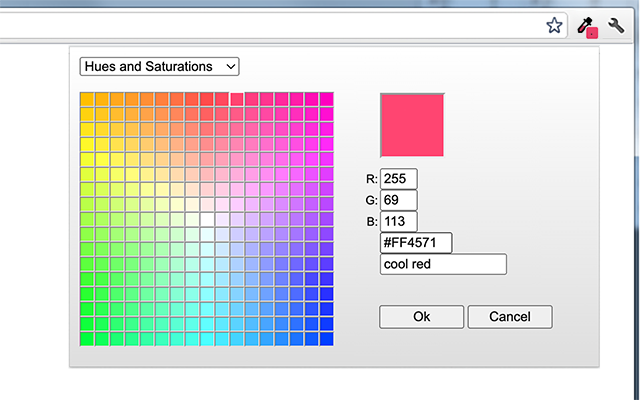
So, here’s what’s new in ColorZilla v2:
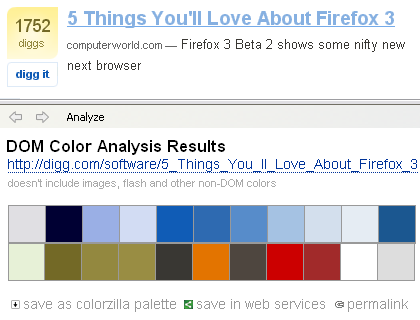
Webpage DOM Color Analyzer
Basically, this feature started with several simple questions – what colors are in use on any given Web page? What HTML elements use them and what CSS rules define those colors? So, Webpage DOM Color Analyzer analyzes a Web page and produces a palette of all the colors on that page. By hovering on any color, you can see what elements use that color, and by clicking on a color you can see a detailed listing of all the CSS rules that apply that color to DOM elements. You can even click on a CSS rule have ColorZilla open the corresponding style sheet file with the rule highlighted.
You can save the page colors as a ColorZilla palette, or open the palette in ColorZilla Online Viewer.

ColorZilla Online Palette Viewer
The online palette viewer is a simple webapp that can be used to view a color palette, bookmark it and share it using any number of bookmarking services such as del.icio.us, Google Bookmarks etc.
It works by providing a simple semantic URL that describes a set of colors:
http://colorzilla.com/colors/COLOR_1+COLOR_2...COLOR_N[/PALETTE_NAME]
Each color should be specified in a hex notation similarly to CSS, so for example red is FF0000 and yellow is FFFF00. The ‘palette name’ portion of the URL is optional.
Here’s an example of a palette URL:
http://colorzilla.com/colors/ff0000+00ff00+0000ff/Simple+RGB+Palette
Click here for an additional example.
When viewing palettes online, you get an online eyedropper (that works in all browsers!) that displays color information in many different formats for any color in the palette.
The online viewer can be opened from the ColorZilla Webpage Color Analyzer, or from the ColorZilla Palette Viewer dialog. The simple format of its URL also allows using it with any other application or Web service – all the application has to do is to generate a list of colors, append it to colozilla.com URL and launch that URL in a browser.

Additional features
ColorZilla v2 (v1.9) is still in beta, but should be stable enough for everyone to try. Check it out and let me know what you think
As you might know, Firefox 3 will be released very soon, so I needed to go over my extensions, make sure they are compatible and make the necessary adjustments here and there.
I started with PlainOldFavorites and FirefoxView, here are the new versions:
So, check the new versions out and let me know if you see any issues.
Also, stay tuned for the new version of ColorZilla coming soon – unlike its two siblings above, ColorZilla’s new version will be a bit more major
Surely, you’ve heard about Google’s new OpenSocial platform.
I believe this is indeed a very significant step forward, especially taking into account the launch partners who are already on board.
Naturally, a lot of comparisons between OpenSocial and Facebook Platform have been made, mostly having to do with the fact that Facebook Platform is closed and proprietary, and OpenSocial is open and standards based. While I couldn’t agree more, after reading the OpenSocial documentation carefully, I couldn’t help but notice that there’re several Facebook Platform features missing from OpenSocial – mainly having to do with app management, permissions etc. To try and make some sense of the differences, I created the following table, comparing the two platforms side by side.
| Facebook Platform | Open Social | Notes | |
| Universal | - | + | Facebook apps work only on Facebook, OpenSocial apps (will) work everywhere |
| Standards based | - | + | Facebook – FQL, FBML, OpenSocial – JavaScript, HTML |
| Extensible | - | + | OpenSocial allows certain containers to expose additional data to apps etc. |
| Publish user stories | + | + | Both platforms allow posting user stories or activities |
| Get friends list | + | + | |
| Get user info | + | + | |
| Persistence | - | + | OpenSocial provides an integrated solution for storing app data |
| Send app notifications | + | - | Facebook allows apps to communicate with users via email |
| Send app requests | + | - | Facebook apps can send requests and invitations to non-app users |
| Spam controls | + | - | Facebook monitors and allows users to report spammy apps and takes appropriate actions |
| App permissions and privacy settings | + | - | Facebook provides fine-tuning of each app’s permissions and privacy settings |
| Access to events, groups, photos, marketplace | + | - | |
| Application directory | + | - | |
| App added notifications | + | - | Facebook notifies user’s friends when they add new apps |
| Additional container hooks | + | - | Facebook apps have icons on profile page, left sidebar links etc. |
| Dynamic profile box | - | + | Facebook uses push model with which user’s profile box needs to be explicitly updated by the app. OpenSocial allows fully dynamic profile boxes |
| Image caching | + | - | Facebook caches all 3rd party images. Pros – higher availability, cons – difficult to create dynamic images |
Conclusions – first, OpenSocial is only at its 0.5 version, and I’m sure it will be significantly improved and extended in the near future. With that said, looking at the features side-by-side today, it’s clear that OpenSocial currently provides two basic functionalities – containment and access to container data. It doesn’t provide any of the higher level functionality present on Facebook – things like application directory, application permissions and privacy settings, spam controls, additional application links and hooks, ‘app addded’ news posts etc. Each container site will need to implement most if not all these functionalities independently, as they obviously address pretty common needs and problems. This also means that within each container there will be slightly (or maybe even significantly) different app virality, discovery and distribution dynamics.

One thing is for sure – OpenSocial makes developers’ life much much easier. Unlike Facebook platform, OpenSocial doesn’t require learning new markup and query languages, and the specific platform quirks associated with many of the proprietary mechanisms. Also, with OpenSocial developers won’t have to work hard to figure out how to easily push updates to user profiles, or how to include dynamic images or initially interactive flash elements into the profile box. On the other hand, many of these restrictions were introduced by Facebook for a good reasons (at least in their opinion), and it would be really interesting to see how removing these restrictions will affect end-users’ experience.
I’m personally really looking forward to seeing what effect OpenSocial will have on the Web and how Google’s recent move will affect Facebook, Yahoo, Microsoft, AOL and other big players, and what will be their response. Exciting times!
Donald Knuth once said that “premature optimization is the root of all evil”. Programmers often waste too much time optimizing their products for situations which will never actually happen in real life. The same is definitely true for web development – do you really need that sophisticated caching system if your site is being visited by 5 people a day?
With that said, you should always have scalability and performance in mind – know what steps you can take to improve performance if your site becomes popular.
If you have a scalable architecture, adding more servers and upgrading the existing ones should definitely solve many performance issues, but before you start buying more hardware, there are several simple things you can do to improve the performance of your existing system:
1. Minify your JavaScript files
Your JavaScript files often contain comments, white space and other unneeded characters. Minifying these files means removing these unneeded characters, which can reduce the size of your files by 5%-30%. Smaller files, faster transfers, better response times. A nice utility for minifying JavaScript files is JSMin.
2. Compress served content
Vast majority of modern web browsers supports compression, which means that your server can compress the document before it sends it to your browser, and the browser uncompresses it upon arrival. Compressing your HTML, JS and CSS content can dramatically reduce its size – by up to 70%! Again, smaller files mean better response times and happier users. The method for enabling this functionality really depends on your web server, but with Apache 2.x you can add something like the following to your .htaccess or httpd.conf files:
AddOutputFilterByType DEFLATE text/html text/css application/x-javascript
3. Force aggressive browser caching
Without caching, the browser would load all your JavaScript, CSS and other files over and over again for each page of your site your user visits. A better scenario would be for your browser to ask your server whether the requested file has changed, and if not, just use the local cached copy it already has. The problem with this scenario, that the browser still has to issue a HTTP request for each file, even if such request doesn’t lead to the whole file being downloaded. The best thing you can do is to tell your browser to keep the files cached forever, always using the cached versions and never needing to contact your server. Here’s how this works:
Header set "Expires" "Mon, 28 Jul 2014 23:30:00 GMT"
Header set "Cache-Control" "max-age=315360000"
<script src="myscript.js?v=1"></script>
<script src="myscript.js?v=2"></script>
4. Use CSS Sprites
CSS Sprites is a really nice technique for reducing the number of image requests for each page. Basically, you can combine all your logos, icons and graphics into a single image, and then use CSS to specify which portion of the combined image corresponds to any specific page image. So, for each page, your browser only loads one larger image instead of many small ones. Decreasing the number of HTTP requests for each page speeds up the page loading times. More info about this technique can be found here.
We’ve been using some of these techniques on FoxyTunes and recently I’ve also added many of these small optimizations to Flickriver, in order to help the site cope with the increasing traffic, without needing to spend more money on additional servers.
A great resource for learning more about these and additional techniques is the “Exceptional Performance” area of Yahoo Developer Network.

Ami Ben Basat – a journalist, a writer and a friend has started an amazing project – he sent his miniature Sony T7 camera on a photo-journey. Each week, this jewel of a camera spends a week with one photographer documenting his or her life and afterwards it’s passed on to the next photographer in the chain.
All the photographs are uploaded to Flickr and create a living documentary of camera’s travels.
In Ami’s own words:
This Friday I’m going to hand the camera to my friend Y. That’s where the T7’s unusual journey will begin. Y, who’ll be the camera’s new custodian, is an amateur photographer among other things. On Sunday he’ll take his own picture with the camera, along with a clip from that day’s newspaper. He’ll upload the picture to Flickr. It doesn’t matter where, provided that he does one thing: upload all images under one tag: “katze-blog”. That way, anyone who wants to see the pictures can key “katze-blog” in Flickr’s search engine and join the photo journey. That’s all.
Photo journey? Exactly so. Y isn’t going to keep that amazing camera. Instead, he’ll hand it on with the box (and this text) to a certain friend. Now the story starts over. Whoever gets the camera can keep it for a week. On Friday they have to pass it on. But before they do that, they’ll upload to Flickr (katze-blog) at least one picture of themselves with a newspaper and a date, and several others – all of them taken by this little naughty camera. They should not forget, of course, to put them under the appropriate tag so that we can all see it.
And on Friday they’ll hand this little treasure to a new user.
Ami’s post announcing the Nomadic Camera Project can be found here.
I was very fortunate to be the third one in the chain to get the Nomadic Camera – after my friends Yaniv Golan and Amit Knaani.
You can see the Nomadic Camera photos I took so far on Flickr and on Flickriver. All project photos are added to the Nomadic Cam group pool that also has its own Flickriver view.

I’m really looking forward to following the Nomadic Camera travels – first here in Israel and then, hopefully, all over the world.
—————-
Now playing: Bob Dylan – Like A Rolling Stone
via FoxyTunes
My site was in a desperate need of an update. Basically, I had quite a lot of stuff laying around the site, without any consistent navigation to lead to it.
So, I added a new top navigation toolbar to every page on the site with links and menus that directly lead to almost any piece of content available on Iosart.com. Also, I moved some stuff around and created a new front page which is now more dynamic and lightweight.
Doing some work on my website got me thinking about the technological choices I made back when I first created it versus what I’d use today, if I had the chance to start things from scratch.
Iosart.com website dates back to early 2004, when I realized that I need a place where I could post some of the stuff I was doing – my photos, plugins, articles and so on.
It’s interesting to compare the technologies I used back then with what is considered the state of the art today
In fact, today I’d seriously consider basing my whole site on Wordpress. Beyond blog posts, Wordpress allows creating custom ‘pages‘ which can optionally have comments, their own custom templates and so on.
Anyway, it’s really interesting to see how much has changed in only three years. New “best of breed” tools and services have emerged – Flickr, del.icio.us and Wordpress are only a few examples. Things are getting better all the time with services such as Ning, Amazon EC2 and S3 and many others.
Now, one can really focus on the content instead of infrastructure. And, once the infrastructure becomes a non-issue, the creativity can really blossom.
I love Flickr. I use it almost daily – I post my own photographs and view photos my friends are posting. I search Flickr for specific locations, events, objects or people. Sometimes, I explore Flickr and discover amazing pictures and great photographers.
I think Flickr has great user interface, but after using it for a while I could think of quite a few things I wanted to add, tweak or just do a bit differently.
Enter Flickriver – my latest personal project. It’s new website that offers a different approach to viewing and exploring Flickr photos. Basically, it encompasses several of my ideas for how Flickr viewing experience could be enhanced. As I said, I’ve been thinking about these ideas for a while now, so I used the recent holiday to go ahead and implement some of them using the Flickr API – and this is how Flickriver was born.
Here are a few examples of what Flickriver offers:

These are just a few of the things Flickriver enhances. Beyond that, Flickriver has many additional Flickr photo views – user recent photos, favorites, sets, user and everyone’s photos by tag, everyone’s most interesting and recent photos, group and pool photos and much more. Also, Flickriver follows the Flickr URL structure as much as possible, so you can easily go back and forth between the two.
I added several tools and extras to enhance Flickriver – you get a link creator that allows you to quickly create a link to any Flickriver view and post it on your site and there’s a mini-Flickriver widget that you can embed on your Webpage. There is a bookmarklet and a Greasemonkey script – both allow you to quickly jump from any Flickr page to the corresponding Flickriver view. Finally, there are ’share’ buttons that allow you to post any Flickriver view to StumbleUpon, Delicious, Digg and Facebook.
That’s it for now, I hope you enjoy Flickriver as much as I do
Quite a few years ago, during my undergraduate studies, I took a course named “Science in Art”. The course explored various scientific subjects such as light and symmetry as reflected in famous paintings, sculptures and other artistic creations.
For my final course paper I decided to explore both artistic and scientific aspects of photography. I did quite a bit of research for the paper and learned a lot in the process. Anyway, the paper was lying on my hard disk for years and I thought this might be a good time to share it.
The paper is called “Photography – a new art or yet another scientific achievement“. Here’s an overview of the main topics:
As I mentioned in my previous post, I’m now using Google Reader in WebRunner as my main RSS aggregator.
A few days ago, Google released Google Gears – it’s a browser add-on that allows various Web apps to work offline by providing them with ways to store and retrieve information locally. As one of its first implementations, Google Gears allows Google Reader to work offline.
While Google Gears installs and works seamlessly with Google Reader in Firefox, there are a few things that need to be tweaked in order to make it work in WebRunner or any other XulRunner application. The actions below are somewhat Windows specific, but something very similar can be done on any platform.
[HKEY_LOCAL_MACHINE\SOFTWARE\Mozilla\Firefox\Extensions]
{000a9d1c-beef-4f90-9363-039d445309b8}=C:\\Program Files\\Google\\Google Gears\\Firefox\\
[HKEY_LOCAL_MACHINE\SOFTWARE\WebRunner\Extensions]
{000a9d1c-beef-4f90-9363-039d445309b8}=C:\\Program Files\\Google\\Google Gears\\Firefox\\
The exact registry path is different for every XulRunner application, but the basic structure is “HKLM\Software\VENDOR\APP_NAME\Extensions”. In WebRunner case there is no “Vendor”, so it’s just “HKLM\Software\APP_NAME\Extensions”.
<em:targetApplication>
<Description>
<em:id>webrunner@webapps.org</em:id>
<em:minVersion>0.1</em:minVersion>
<em:maxVersion>10.0</em:maxVersion>
</Description>
</em:targetApplication>
“webrunner@webapps.org” is the ID of your WebRunner XulRunner application. For other XulRunner apps, you can find out the correct ID in their application.ini file.
[XRE]
EnableExtensionManager=1
Basically, the first step makes sure that WebRunner detects the extension, the second one makes Gears compatible with WebRunner and the third makes WebRunner load the Google Gears extension. Once you complete these three steps, Google Reader and any other supported Web app will detect and use Google Gears for offline functionality.
I’m an RSS junkie. I go over nearly 200 feeds every day – news, industry updates, my friends’ blogs, flickr photos and so on. That’s why my RSS reader has become the second most important application for me, after the browser.
I used SharpReader and RSS Bandit and encountered very similar problem with both of them. Once the number of feed items starts to grow (I hate deleting old items), so does the memory and CPU consumption. Last time I looked before uninstalling, my SharpReader used 800Mb of memory. RSSBandit would use 100% CPU for minutes…
Additionally, because I use at least 3 computers almost daily (home/office/laptop) – synchronizing my feeds between all of them was very cumbersome, if not impossible with these apps.
Enter Web based RSS readers. I tried both Bloglines and Google Reader in the past, but something in their interface just wasn’t working for me. The latest version of Google Reader introduced a truly convenient Web RSS reading experience but I still couldn’t use it. Why? Here’re several reasons:
To solve this problem I thought about ways I could create two separate ‘spaces’ – one would be my browser space in which I could be logged out from Google and periodically log-in into various Google apps, and a ‘Google Reader’ space in which I would be constantly logged in into Google Reader.
It occurred to me that XulRunner would be a perfect candidate for this. I thought about creating some custom solution using XulRunner, but then remembered that Mark Finkle has already created something very similar – WebRunner. Basically, it’s a ‘Site Specific Browser’ a simple XULRunner program that displays a single Web application in a simplified interface.
Here’re a few advantages of using Google Reader in WebRunner:
So, with the help of WebRunner and XulRunner, Google Reader has become my main RSS Reader. I get all the advantages of a desktop RSS reader and all the conveniences of a Web app – synchronization across machines, performance, storage and so on.
There are still a few disadvantages to using Google Reader over a desktop RSS reader:
Overall, I’m really enjoying my transition to Google Reader and would really recommend checking out WebRunner for this.
I heard a new song on the radio and for a second there it sounded like Freddie Mercury is a alive…
A short search revealed Mika – a young British artist with a pretty impressive voice
Mika
Mica Penniman (born 18 August 1983), also known as Mika (IPA [ˈmikə]), is a Lebanon-born, London-based singer who has a recording contract with Casablanca Records and Universal Music. Some sources note his birth name as Michael Holbrook Penniman. more…
Mika – Grace Kelly
Did you ever want to comment on some great Blog post you found only to discover that the post is a bit old and the author has already closed the comments – so no new ones can be posted? I often do and I find this issue rather frustrating…
The reason for closing comments is pretty straightforward – spam. Each Blog post that accepts comments is a target for spammers – so the more such posts you have you’re increasing the amount of overall spam your blog receives every day.

A common strategy for dealing with comment spam is to close comments on older posts – after two weeks, a month etc. Which brings us to the original problem – closing comments on older posts prevents future discussions, even if those would really make sense long after the post was published.
Imagine yourself browsing Flickr and finding a great photo. You want to tell the author how great the photo is or ask a question, but you discover that the photo was uploaded two months ago and the comments are already closed! I couldn’t imagine such a scenario, because more often than not I discover photos long after they have been uploaded and I often see discussions go over long periods of time, being re-newed etc. – which is great. Unlike discussing some current events, discussing photographs cannot really be limited to a short period of time.

Many Blog posts are exactly like that, IMHO. People often search the Web for a specific topic and find old, but still relevant blog posts, and there is absolutely no reason, other than spam, not to allow the discussions on these posts to keep going.
My suggestion – a simple two-level comment protection system. Comments can be open or closed, exactly as today, but a third state can be introduced – let’s call it ‘protected’. In this state, posting a new comment is still possible, but more difficult – protected by CAPTCHA, verification via email etc. Now, after two weeks, instead of closing the comments, they can be set to ‘protected’ mode – this allows minimal barrier to commenting initially, while allowing valid conversations about the post to continue forever.
I’ve finally finished working on the photos from my 2001 trip to Italy and uploaded them to Flickr.

Next are the photos from my trip to India, Nepal and Thailand in 2000. I have more than 1,200 photographs from that trip, out of which I’ll need to select the best ones and post them to Flickr. The process will probably take quite a lot of time, but I’m excited to be starting it, because it will allow me to re-live this amazing journey.
Here’s a photo from this trip, taken on a busy Delhi street:

I’ve recently joined Twitter. What’s Twitter, you ask?
From their FAQ:
Twitter is a community of friends and strangers from around the world sending updates about moments in their lives. Friends near or far can use Twitter to remain somewhat close while far away. Curious people can make friends. Bloggers can use it as a mini-blogging tool. Developers can use the API to make Twitter tools of their own. Possibilities are endless!
Without even noticing, I kinda did what the FAQ says:
I think that posting music to Twitter makes a lot of sense. After all, for me at least, many of the “interesting moments” I have during each day are songs playing on my computer. And what can be better than sharing those musical moments with my Twitter friends…
And the great thing is that some of my friends have started to Twit music too! So, for example, I now know that Kfir likes Korn, Nine Inch Nails and Iron Maiden. Through Kfir, I discovered a project called Peace Orchestra by the great Peter Kruder from Kruder & Dorfmeister. Also, by following one of Kfir’s Korn posts, clicking on the FoxyTunes Planet link and going through some of their YouTube videos, I discovered their excellent Pink Floyd cover, which I’m including here with one click, courtesy of FoxyTunes Planet:
Another Brick in the Wall – Korn
I’m really excited to see all the different pieces of FoxyTunes starting to come together, and Twitter support is only one step in this direction. Now, if only I had a bit more time to listen to all the great new music I discover, life would be perfect
I just singed up for JPG Magazine and submitted my first photo.
JPG Mag is a website, a photo community and a magazine. Unlike Flickr, they encourage uploading only your best work. The great thing is that it’s also a real magazine published 6 times a year which consists entirely of user contributed photos.
Time will tell whether I’ll become involved in the JPG Mag community (Flickr is already a great place for that), but I can definitely see myself making an occasional submission, if I have a nice photo matching one of their themes.
A few years back I decided to have all my photo films scanned, in order to complete my move to digital photography. I got a few friends and family members organized and got a great deal on having several hundreds of film rolls scanned at a pretty high resolution.
Anyway, I started to post the scanned images to Flickr and my own photo galleries, but during these last several years I just didn’t find the time to post the rest of them, leaving a lot of unpublished material from several very interesting trips.
So, I decided that instead of waiting until I have time to post all the remaining photos (probably never), I’d start to post only a few each day. So, here are the first photos of this batch, from my trip to Italy during April 2001.

We’ve rolled out a nice new feature on FoxyTunes Planet – now I can click a ‘blog this’ button and get an embed code for posting artists (short bio and an image), videos, photos etc. on my blog. I could probably achieve the same thing by going to youtube, flickr etc., but who has the time for all these extra clicks when there’s so much great music out there to be discovered
Anyway, here’s one of my favorite songs by Hooverphonic:
Hooverphonic – Mad about you
[via FoxyTunes / Hooverphonic]
I read a blog post by Jeff Pulver about using Flickr for connecting with new people after attending an event together.
Jeff had a simple and elegant suggestion – we need a tool that given a conference or an event tag will show me all the people who posted photos on that event and who are not yet on my contact list. This is a great way of finding new and old friends on Flickr.
Anyway, I had some Flickr API code already open in one of my editors (people who know me know that I never close windows, so if I did some Flickr related stuff sometime since the last reboot, I’ll have it handy
), so… Check out the Flickr Post Event Networking tool.
A few implementation details:
Jeff – thanks for a killer idea!